
Account settings
Settings is where you manage your researcher profile and, as an Admin, organization-level team, AI, and billing controls.
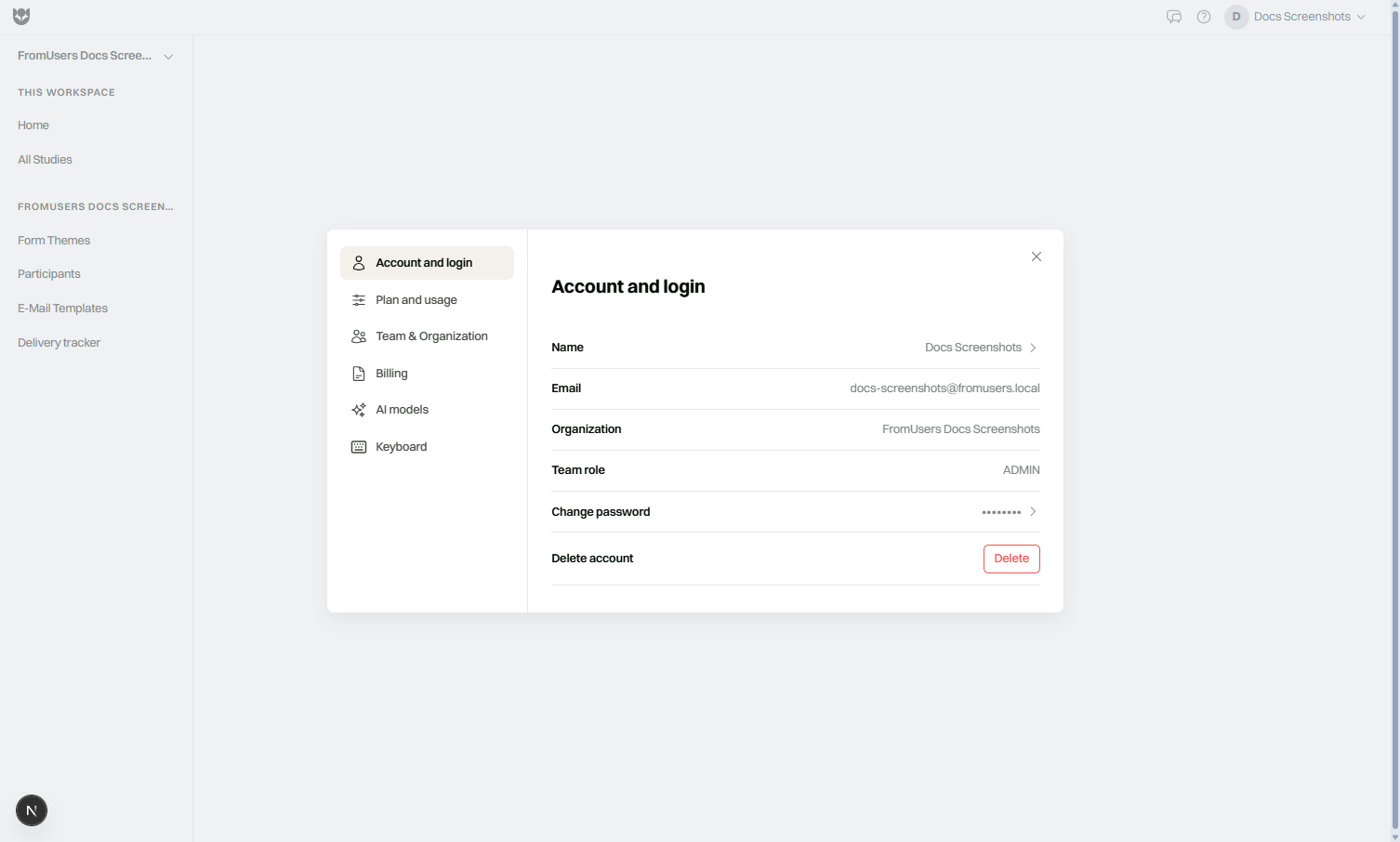
Open Settings
Section titled “Open Settings”- Sign in to the FromUsers portal.
- Open your profile menu.
- Choose Settings.
What you can change
Section titled “What you can change”| Area | Who | Examples |
|---|---|---|
| Profile | Everyone | Name, email display, password (when using email auth) |
| Team | Admin | Invites, roles |
| Plan / billing | Admin | Upgrade, seats, invoices (Stripe) |
| AI keys | Admin | Bring-your-own Gemini / AssemblyAI keys |
| Documentation | Everyone | Link out to this docs site from the profile menu |
Google-authenticated users manage some identity details in Google; FromUsers still stores organization membership locally.
Profile hygiene
Section titled “Profile hygiene”- Use your work email so invites and billing notices reach you.
- Sign out on shared computers.
- Do not reuse researcher passwords on personal sites.
Organization Admin checklist
Section titled “Organization Admin checklist”- Confirm the right people are Admins.
- Keep Stripe payment methods current.
- Review AI keys and usage after hiring spikes.
- Align seat count with active Members.
What Settings does not include
Section titled “What Settings does not include”- 2FA toggle (not available)
- Self-serve SSO on Coffee/Pro
- Self-serve account deletion (contact support)
- Participant-facing branding (use Branding and Appearance)
Related
Section titled “Related”Common questions
Where do I open Settings?
Use the profile menu in the FromUsers portal and choose Settings. From there you can reach profile, team, plan, and AI key areas.
Can I enable 2FA in Settings?
No. FromUsers does not offer in-product two-factor authentication today. Email verification applies at sign-up.
How do I delete my account from Settings?
You cannot fully self-delete in Settings. Contact support to request account deletion.