
In-product survey triggers
Triggers define when an eligible in-product survey appears. Page targeting must already match before a trigger can fire.
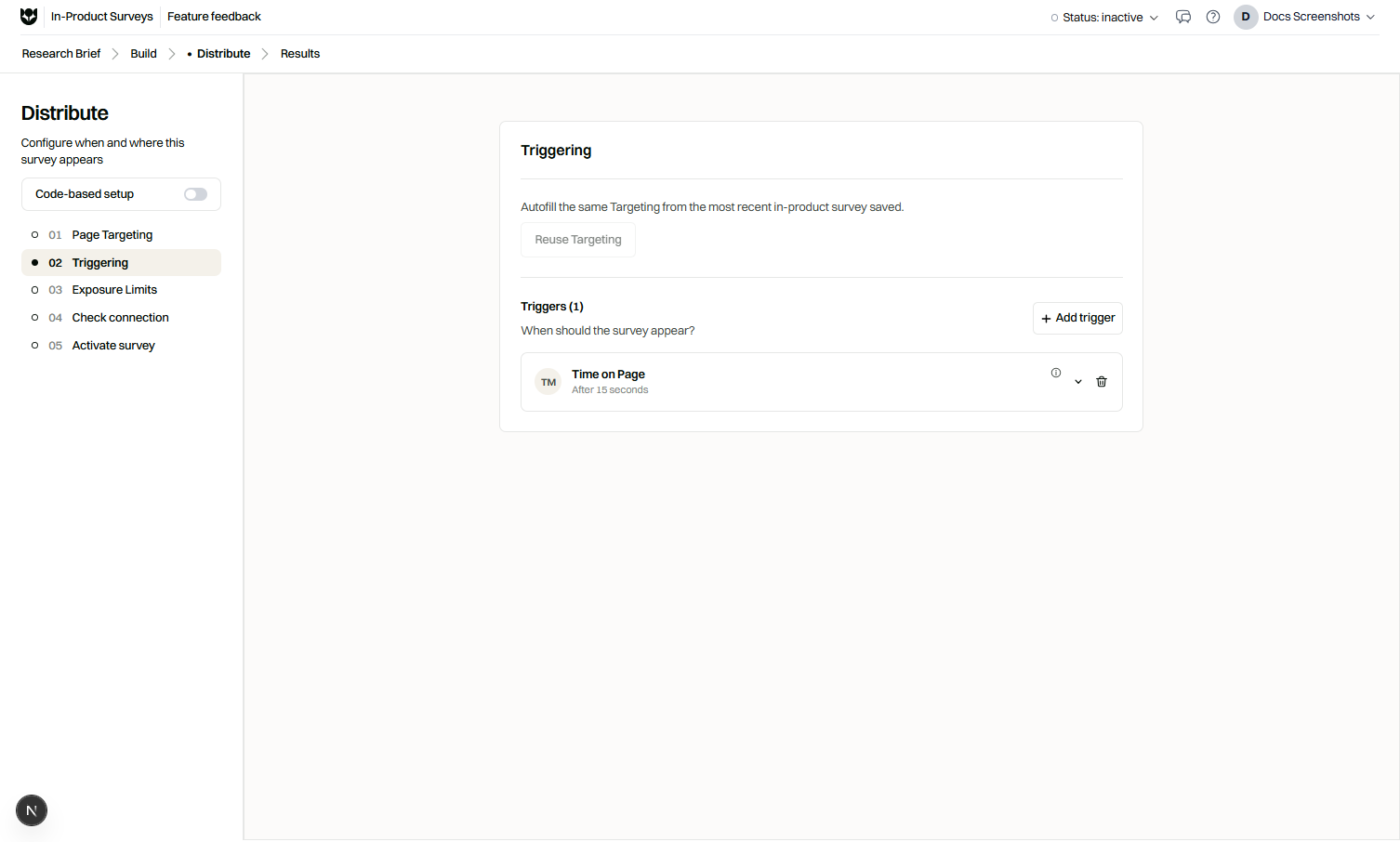
Trigger types
Section titled “Trigger types”| Trigger | Fires when |
|---|---|
| Time on page | The visitor stays for N seconds |
| Element click | The visitor clicks a specified element |
| Element hover | The visitor hovers a specified element |
| Element input | The visitor interacts with an input you specify |
| Scroll depth | The visitor scrolls to a configured depth |
| Exit intent | The visitor shows desktop exit intent behavior |
| Custom JS event | Your app signals an event the SDK recognizes |
Configure a trigger
Section titled “Configure a trigger”- Open the survey’s trigger settings.
- Choose the trigger type.
- Fill required fields (seconds, CSS selector, scroll percent, event name).
- Save.
- Test on staging with the SDK installed.
Guidance by type
Section titled “Guidance by type”Time on page
Section titled “Time on page”Use for calm moments: dashboards after load, thank-you pages, article mid-reads. Avoid very short timers on pages that still load content.
Element click, hover, input
Section titled “Element click, hover, input”- Prefer stable selectors (data attributes) over brittle auto-generated CSS classes.
- Hover is desktop-oriented.
- Input triggers suit “after user starts typing in search” moments, not every keystroke survey spam. Combine with frequency caps.
Scroll depth
Section titled “Scroll depth”Good for long marketing or documentation pages. Set depth high enough that visitors saw the content you ask about.
Exit intent
Section titled “Exit intent”Desktop technique for last-chance feedback. Provide a mobile alternative trigger if mobile traffic matters.
Custom JS event
Section titled “Custom JS event”- Instrument your app to call
FromUsers.trackEvent(see JavaScript API). - Use the same event name in the survey trigger.
- Fire the event only after the user completes the meaningful action.
Examples
Section titled “Examples”| Scenario | Targeting | Trigger |
|---|---|---|
| Docs feedback | URL starts with /docs | Scroll depth 75% |
| Export complete | App website | Custom event export_done |
| Pricing questions | URL contains /pricing | Time on page 20s |
| Abandon checkout | Checkout URLs | Exit intent (desktop) |
QA checklist
Section titled “QA checklist”- Trigger fires once per your frequency rules, not on every scroll tick.
- Selector still matches after front-end deploys.
- Custom event name spelling matches exactly.
- Mobile path tested for non-hover, non-exit-intent designs.
Related
Section titled “Related”Common questions
What is a custom JS event trigger?
Your application dispatches or reports a named event (often via FromUsers.trackEvent). The survey can show when that event fires on an eligible page.
Can I use more than one trigger idea?
Configure the trigger that matches the moment you care about. Keep the setup simple so QA stays reliable.
Why is exit intent incomplete on mobile?
Exit intent relies on desktop pointer behavior. Prefer time, scroll, or custom events for mobile audiences.