
Apply branding to a study
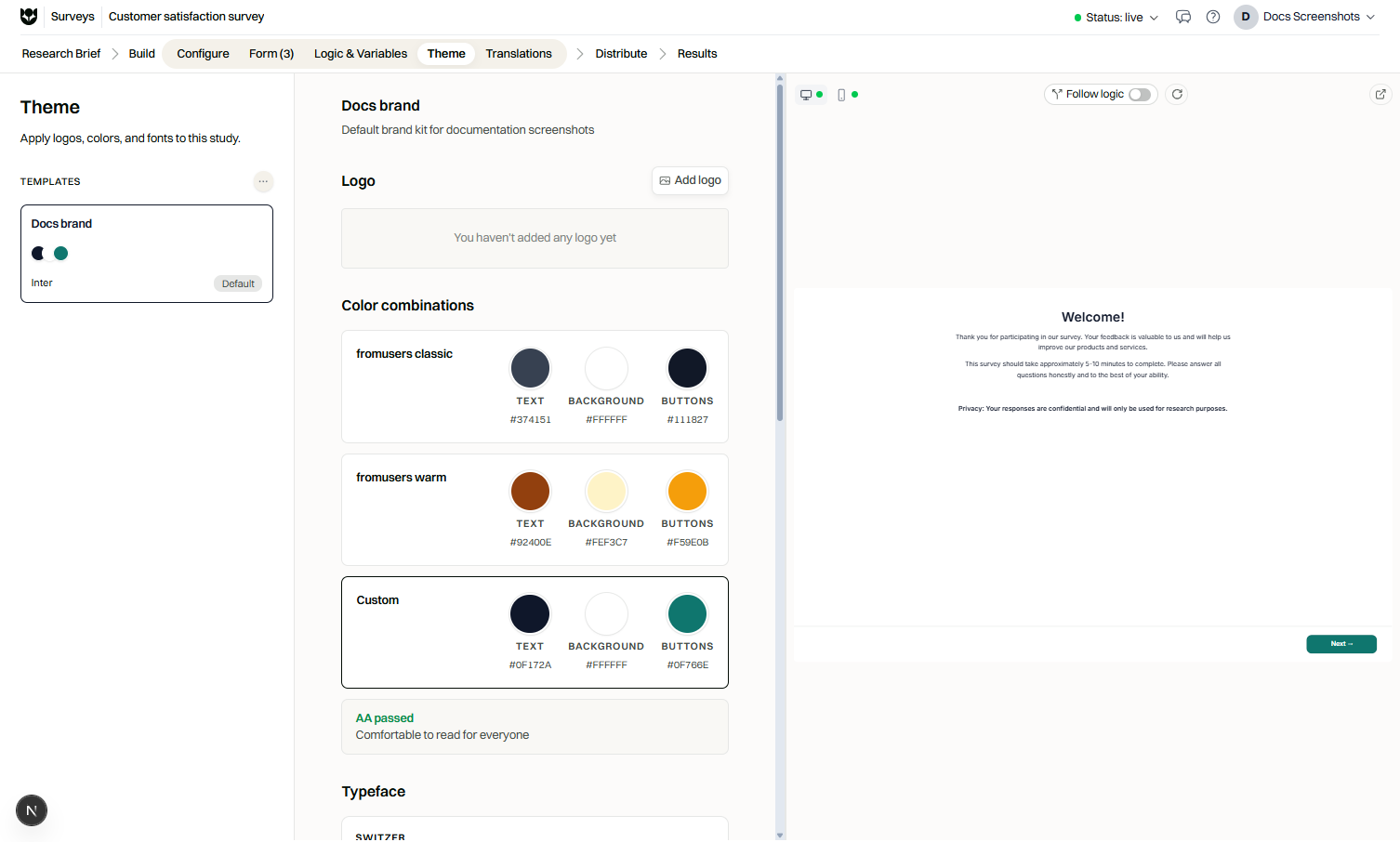
Apply branding so every participant page matches your organization or client brand. In the study editor, branding lives on the Theme tab.
Plan requirement
Section titled “Plan requirement”Full custom branding is Pro (and Custom). On Coffee, the Theme tab shows the standard appearance and an upgrade prompt such as Make it your own.
Open the Theme tab
Section titled “Open the Theme tab”- Open the study editor.
- Select Theme.
- Use the Templates sidebar to pick an organization template, open Go to templates manager, or work with Custom branding when shown.
Apply an existing template
Section titled “Apply an existing template”- On Theme, choose a template from the list.
- Preview the participant look.
- Adjust study-specific options (for example question layout) if needed.
- Preview the study before setting it to Live.
Organization default
Section titled “Organization default”Admins (or members with template access) can Set as default in Form Themes. When a default exists:
- New studies tend to inherit that look.
- The Theme tab may omit the empty custom card until you intentionally customize.
Remove the default with Remove as default if you want new studies to start neutral.
Save branding from a study
Section titled “Save branding from a study”- Finalize colors, logo, typeface, radius, CSS, and layout on Theme.
- Choose Save as template.
- Enter a name (for example “New template”) and optional description.
- Confirm. The template appears under Form Themes for reuse.
Example
Section titled “Example”Product marketing wants the public survey to match the website:
- Apply the organization default template.
- On Theme, swap the logo for the campaign mark if needed.
- Save as a campaign-specific template for the next wave.
- Preview on desktop and mobile widths before Live.
Limitations
Section titled “Limitations”- In-product surveys follow SDK display rules; desktop question layout controls do not apply the same way.
- View-only collaborators cannot change branding.
- Changing templates mid-fieldwork can surprise returning participants; prefer stable branding while Live.
Related
Section titled “Related”Common questions
Where do I change branding inside a study?
Open the study editor and go to the Theme tab. Pick a template or adjust custom branding there.
What happens if my organization has a default template?
New studies can inherit the default. The Theme tab hides the empty Custom branding card when a default already applies and the study has no override.
Can I create a template from a finished study?
Yes. Use Save as template on the Theme tab to send the current look to Branding & Themes.