
Page targeting
Page targeting decides which pages and devices are eligible for an in-product survey. Triggers then decide the moment it appears.
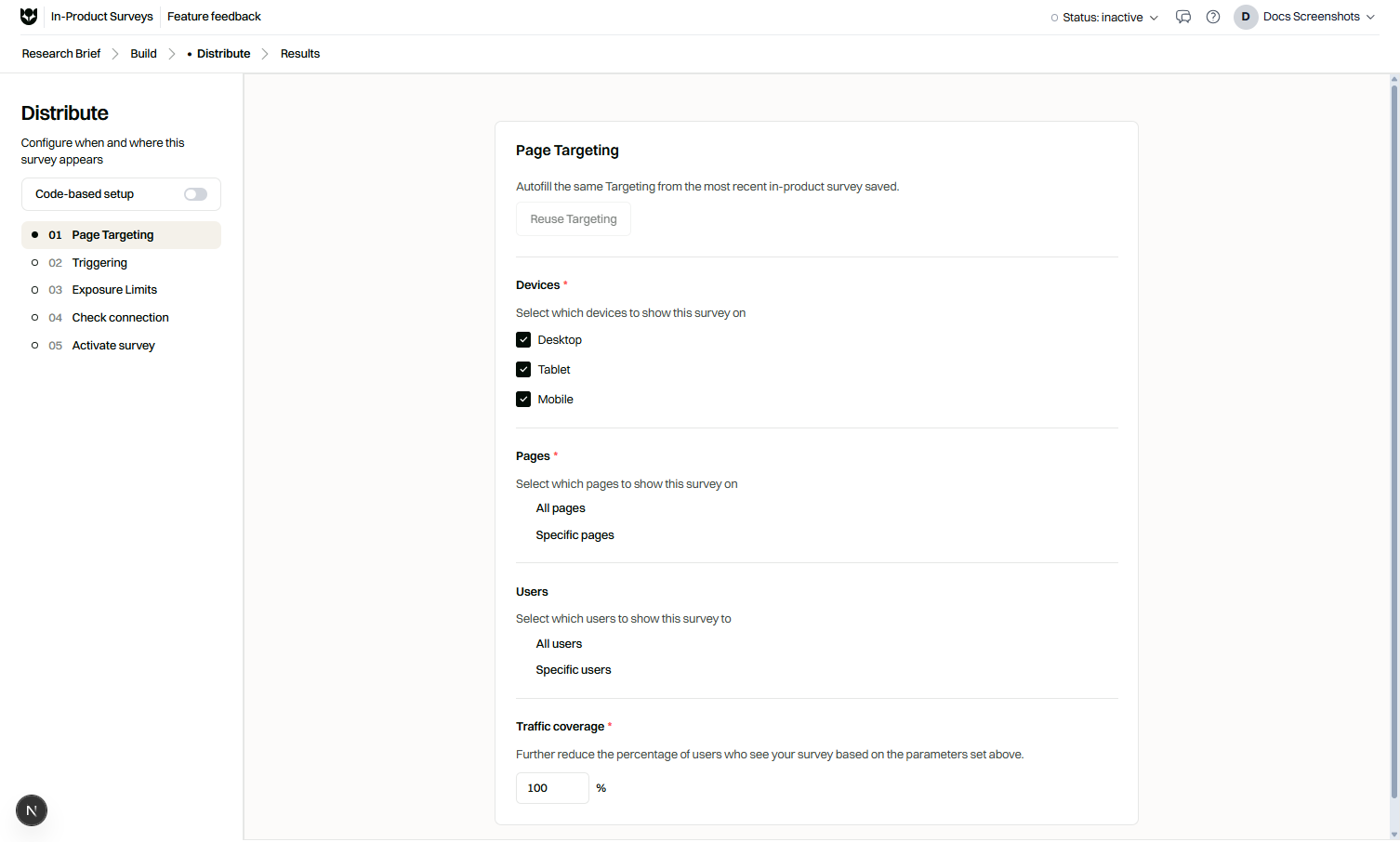
URL matching options
Section titled “URL matching options”| Rule | Matches when |
|---|---|
| Contains | The URL includes a string you specify |
| Equals | The URL matches exactly |
| Starts with | The URL begins with your string |
| Regex | The URL matches a regular expression |
| Params | Query parameters meet your conditions |
Combine rules carefully. Overly broad contains rules can show surveys on unexpected pages.
Devices and sampling
Section titled “Devices and sampling”- Limit to desktop, tablet, and/or mobile.
- Set traffic percentage to sample a portion of eligible visitors (for example, 10% on a busy homepage).
Configure targeting
Section titled “Configure targeting”- Open the in-product survey.
- Open targeting settings.
- Add URL rules for include paths.
- Add exclusions if your UI supports exclude rules for sensitive pages (billing, login) when available in your builder.
- Choose devices.
- Set traffic percentage if you are sampling.
- Save and test on staging.
Practical patterns
Section titled “Practical patterns”| Goal | Targeting idea |
|---|---|
| Single thank-you page | URL equals the full success URL |
| Entire docs section | URL starts with /docs |
| Any pricing locale | URL contains /pricing |
| Complex app routes | Regex for nested IDs (test thoroughly) |
| Campaign landing only | Params for utm_campaign |
Never document raw app editor routes in your survey copy. Describe pages the way users see them.
Test safely
Section titled “Test safely”- Use a staging website.
- Start with traffic percentage at 100% on staging.
- Open matching and non-matching URLs.
- Confirm the survey does not appear on account or payment flows you intend to exclude.
- Lower traffic percentage before production launch if needed.
Pair with audience rules
Section titled “Pair with audience rules”URL targeting answers “which page?” Audience rules answer “which user?” See Audience and dynamic values.
Limitations
Section titled “Limitations”- Client-side URL changes in SPAs need verification after navigation.
- Regex mistakes cause silent mismatches. Prefer simpler rules when possible.
- Targeting alone never shows a survey if frequency caps or quarantine block the visitor.
Related
Section titled “Related”Common questions
Which URL match should I use?
Use equals for exact pages, starts with for a section, contains for flexible matching, regex for advanced patterns, and params for query string conditions.
What does traffic percentage do?
It shows the survey only to a percentage of eligible visitors so you can sample instead of asking everyone.
Do targeting rules replace triggers?
No. Targeting decides where a survey is eligible. Triggers decide when it appears on an eligible page.