
Message Tracker
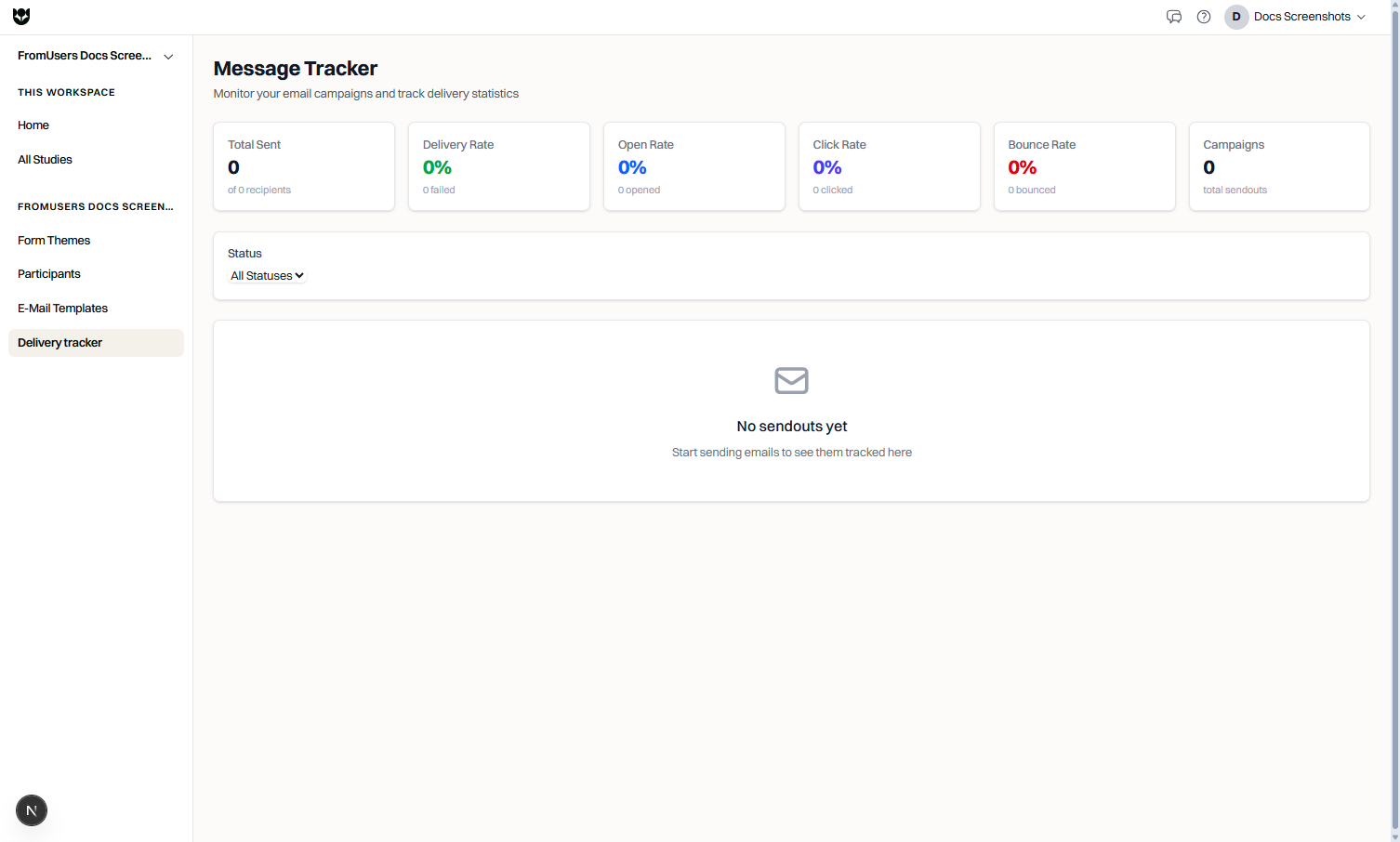
Message Tracker shows how distribution email campaigns perform after you send or schedule them.
Plan requirements
Section titled “Plan requirements”Message Tracker is part of Pro email distribution. If sendouts are locked on your plan, the tracker explains the upgrade path.
Campaign overview
Section titled “Campaign overview”For each sendout you can review:
| Metric | Meaning |
|---|---|
| Sent | Messages accepted for delivery to recipients |
| Delivered | Messages successfully delivered (reflected in delivery rate) |
| Opened | Recipients recorded as opening the email |
| Clicked | Recipients who clicked tracked links (typically the study link) |
| Bounced | Addresses that could not be delivered |
Campaign-level statuses also help you see whether a sendout is pending, scheduled, sending, completed, failed, or cancelled.
How to use it
Section titled “How to use it”- Open Distribution → Message Tracker.
- Scan summary cards for sent, delivery, open, click, and bounce rates.
- Filter campaigns by status.
- Open a sendout to inspect recipient-level events and timestamps.
- Follow up on bounced addresses in your sample list.
Reading the numbers
Section titled “Reading the numbers”- High bounce rate usually means list quality issues.
- Strong click rate with low study starts may point to study status, link, or device restrictions.
- Opens are useful but imperfect because of privacy features in email clients.
- Keep naming conventions for sendouts (study + wave + date).
- Re-clean samples after repeated bounces.
- Pair tracker insights with Results Studio completion counts, not email metrics alone.
Common questions
Where do I find Message Tracker?
Open Distribution in the left sidebar, then Message Tracker.
What recipient events are tracked?
You can monitor whether messages were sent, delivered, opened, clicked, or bounced, plus failed sends when delivery cannot complete.
Why are opens lower than sends?
Some clients block open tracking. Treat open rate as directional, and prioritize click and completion metrics for decisions.